
M3U foundations
What Is an M3U File? Format, Structure, and How It Works
Learn what an M3U file is, how the playlist format is structured, what common entries mean, and how compatible players use it.
The playlist field guide
Straightforward guides for creating, reading, and troubleshooting playlists for media you own or are authorized to use.
01#EXTM3U02#EXTINF:-1,Sample documentary03https://media.example.org/authorized/sample.mp40405#EXTINF:-1,My local recording06file:///Media/recording.mp4Learn the format first. Use only media you own or are authorized to access.
Start with the basics
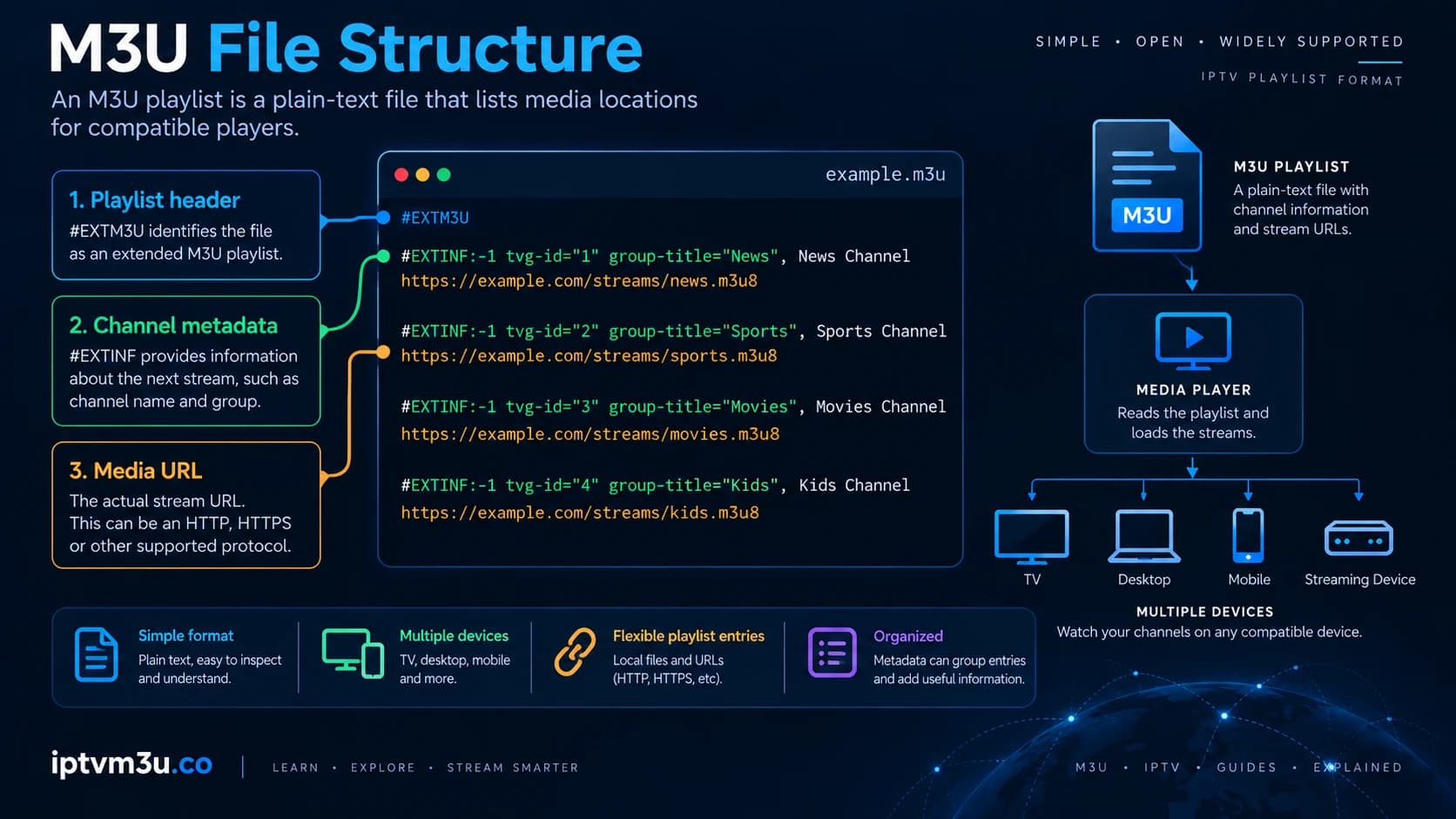
An M3U playlist is a text-based list of media locations that compatible players can read. It can reference local files or authorized remote media and may include metadata such as titles and durations.
The playlist is an index, not a license or access credential. Understanding that distinction makes it easier to build, import, and troubleshoot playlists responsibly.
Read the full M3U explanationHow the pieces fit
A playlist, source, player, network, and programme guide solve different problems. Keeping those layers separate makes setup and troubleshooting easier.
Text that organizes media locations and optional metadata.
The player obtains the playlist from local storage or a network response.
The player parses the playlist and attempts to open the referenced media.
Optional programme information is retrieved and matched separately from playback.
A clear starting sequence
Start small and keep each test understandable. That is the quickest way to learn whether a problem is in the playlist, player, or source.
Read the M3U basics before importing a playlist into any player.
Use a safe test file with media you own or are authorized to access.
Diagnose encoding, player, and source issues without bypassing controls.
Build confidence
M3U foundations
Learn what an M3U file is, how the playlist format is structured, what common entries mean, and how compatible players use it.
M3U foundations
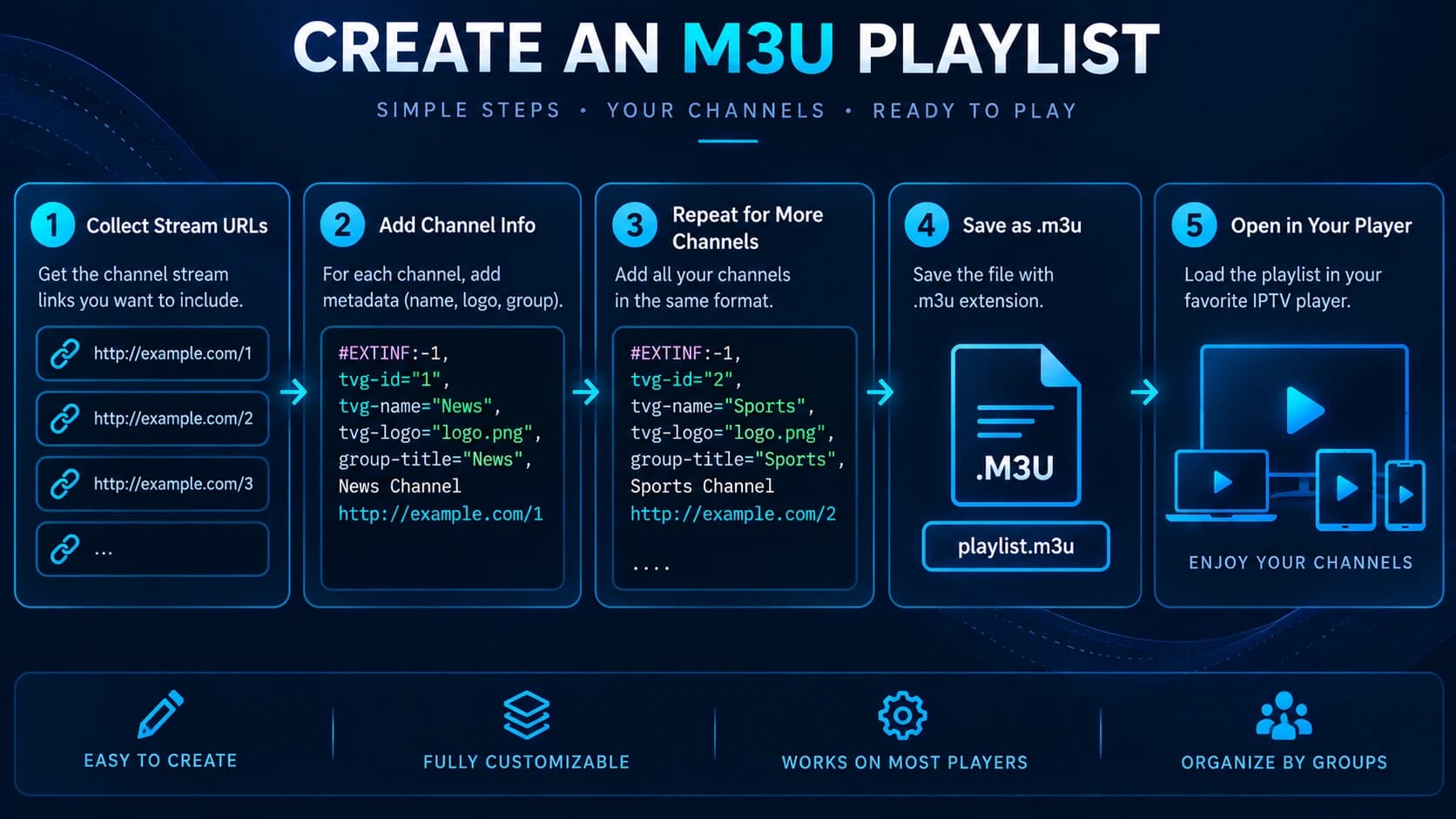
Create a small M3U playlist step by step using local media or remote sources you are authorized to access.
M3U foundations
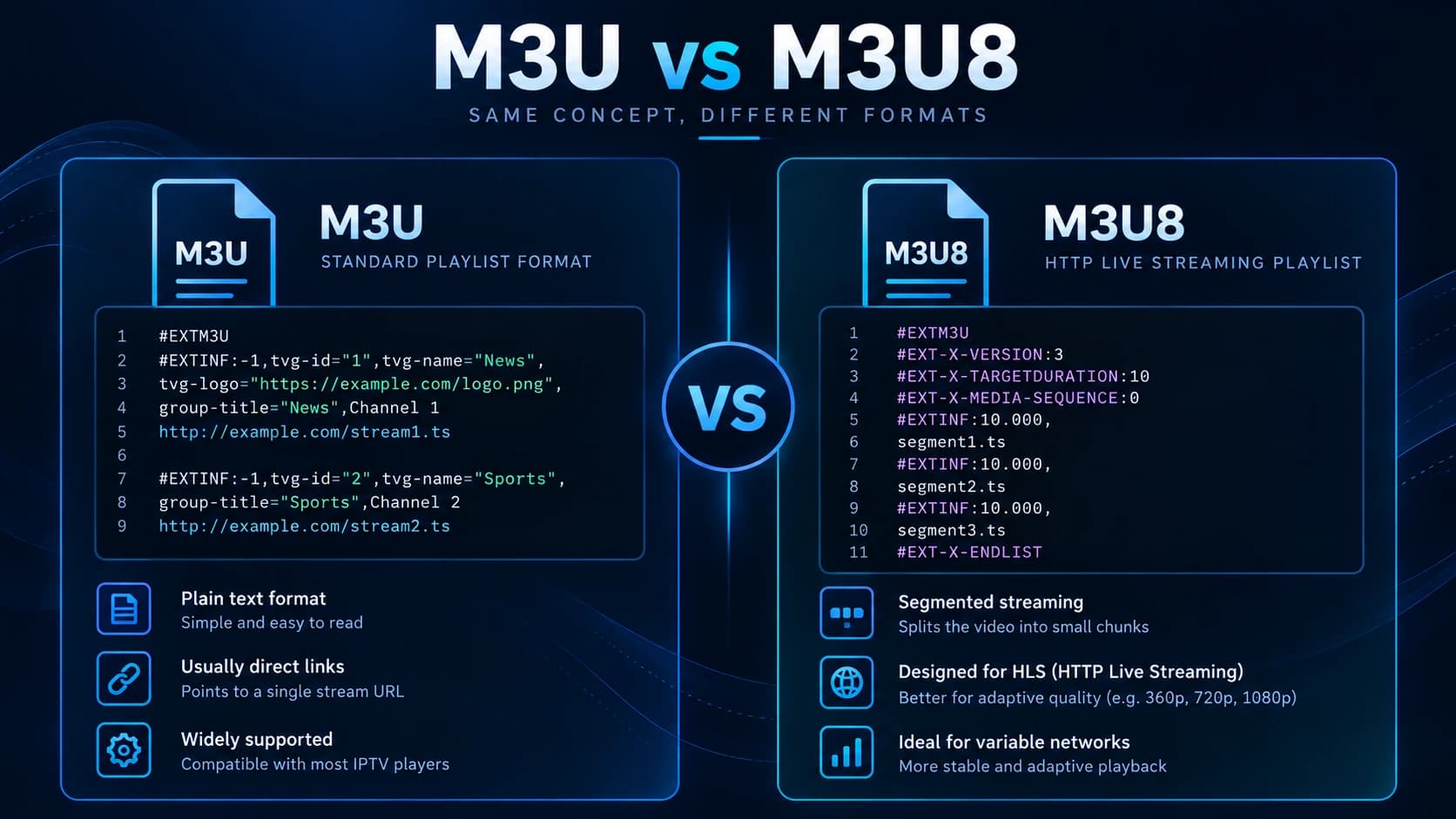
Understand the difference between M3U and M3U8 playlists, UTF-8 encoding, and why M3U8 is common in HLS workflows.
Explore the library
Move from the fundamentals into players, EPG data, IPTV concepts, and playlist safety as your setup gets more specific.
IPTV basics
Understand IPTV delivery, services, access methods, and where M3U playlists fit.
Read the guidePlayers
Compare the player capabilities that matter when loading authorized playlists.
Explore player guidesEPG
Learn how programme data, channel IDs, and XMLTV-style guide data work together.
Read the EPG guideSafety
Check provenance, authorization, privacy, and access considerations before using a playlist.
Read the safety guideM3U basics
Learn how local playlist files differ from remote M3U URLs and what can make a URL unusable.
Read the file vs URL guideGuide finder
Search the on-site guide library. Your search stays in this browser.
Try a format, player, or task — no account or upload required.
Use media responsibly
Use media you own, have licensed access to, or that is clearly authorized for your use. We do not host or recommend unverified playlist sources.