IPTV catch-up TV lets you watch programs that aired hours or even days ago. Sometimes called time-shifted TV, catch-up is one of the most convenient IPTV features — you never miss a show even if you forgot to record it.
What Is Catch-Up TV?
Catch-up TV allows you to access previously broadcast content from the channel’s archive. When you open the EPG guide, past programs are highlighted as available for replay. You simply select a program that aired earlier, and it starts playing from the beginning. This is different from recording — you are accessing the provider’s stored stream, not a local file.
How Catch-Up TV Works
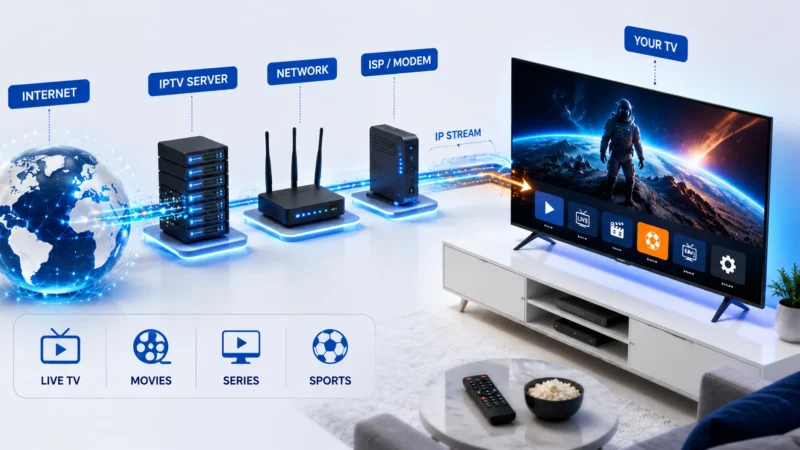
IPTV providers store recent broadcasts on their servers, typically for 3 to 7 days. When you select a past program, the player requests the archived stream from the provider. The stream plays like live TV but from the start of the selected program. You can pause, rewind, and fast-forward like on-demand content.
Which IPTV Apps Support Catch-Up?
- TiviMate: Excellent catch-up support with visual indicators in the EPG
- IPTV Smarters Pro: Supports catch-up with proper EPG integration
- GSE Smart IPTV: Catch-up support on supported streams
- Kodi: Catch-up via PVR IPTV Simple Client with correct settings
- VLC: No catch-up support
How to Use Catch-Up TV
In TiviMate
- Open the EPG guide
- Look for programs with a catch-up icon (circular arrow or rewind symbol)
- Scroll back to a past time slot
- Select a program and press OK
- The program starts from the beginning
- Use playback controls to pause, rewind, or fast-forward
In IPTV Smarters Pro
- Open the EPG guide or channel list
- Channels with catch-up are marked with a special icon
- Select a past program from the guide
- Choose Play from the options
- The stream starts from the program beginning
Catch-Up Availability
Catch-up is not available on all channels. Your IPTV provider decides which channels offer catch-up. Typically, major entertainment channels, news channels, and sports channels include catch-up. Smaller or niche channels may not. The catch-up window (how far back you can watch) is usually 3 to 7 days, set by the provider.
Catch-Up TV vs Recording
- Catch-Up: Uses provider storage, no device space needed, limited to provider archive window, available on any device
- Recording: Uses local storage, unlimited retention period, requires device with recording capability, files can be transferred
See our IPTV recording guide for the alternative approach.
Catch-Up Not Working? Troubleshooting
Catch-Up Option Not Showing
Your IPTV provider may not support catch-up on that channel. Check with your provider whether catch-up is included in your plan and which channels offer it.
Catch-Up Streams Buffering
Catch-up streams may buffer if the provider’s archive server is slow. Try watching during off-peak hours. For general buffering help, see our guide.
EPG Not Showing Past Programs
The EPG must be properly configured to display past programs. Ensure your EPG source is working. See our EPG guide for help.
Further Reading