
Further Reading
- VPN enabled while streaming
- M3U URL kept private
- IPTV apps updated to latest version
- Device security settings configured
- Avoiding free IPTV services
- Router firewall enabled
- Strong passwords used
- Parental controls active (if needed)
Further Reading
- VPN enabled while streaming
- M3U URL kept private
- IPTV apps updated to latest version
- Device security settings configured
- Avoiding free IPTV services
- Router firewall enabled
- Strong passwords used
- Parental controls active (if needed)
Further Reading
IPTV Security Checklist
- VPN enabled while streaming
- M3U URL kept private
- IPTV apps updated to latest version
- Device security settings configured
- Avoiding free IPTV services
- Router firewall enabled
- Strong passwords used
- Parental controls active (if needed)
Further Reading
If your IPTV provider offers a customer portal with an account password, use a strong, unique password. Do not reuse passwords across services. Use a password manager to generate and store secure passwords. Enable two-factor authentication if your provider supports it.
IPTV Security Checklist
- VPN enabled while streaming
- M3U URL kept private
- IPTV apps updated to latest version
- Device security settings configured
- Avoiding free IPTV services
- Router firewall enabled
- Strong passwords used
- Parental controls active (if needed)
Further Reading
7. Use Strong Passwords
If your IPTV provider offers a customer portal with an account password, use a strong, unique password. Do not reuse passwords across services. Use a password manager to generate and store secure passwords. Enable two-factor authentication if your provider supports it.
IPTV Security Checklist
- VPN enabled while streaming
- M3U URL kept private
- IPTV apps updated to latest version
- Device security settings configured
- Avoiding free IPTV services
- Router firewall enabled
- Strong passwords used
- Parental controls active (if needed)
Further Reading
- Use a strong Wi-Fi password (WPA3 or WPA2)
- Enable your router’s firewall
- Disable WPS (Wi-Fi Protected Setup)
- Keep your router firmware updated
- Consider a separate VLAN for streaming devices
7. Use Strong Passwords
If your IPTV provider offers a customer portal with an account password, use a strong, unique password. Do not reuse passwords across services. Use a password manager to generate and store secure passwords. Enable two-factor authentication if your provider supports it.
IPTV Security Checklist
- VPN enabled while streaming
- M3U URL kept private
- IPTV apps updated to latest version
- Device security settings configured
- Avoiding free IPTV services
- Router firewall enabled
- Strong passwords used
- Parental controls active (if needed)
Further Reading
6. Secure Your Network
- Use a strong Wi-Fi password (WPA3 or WPA2)
- Enable your router’s firewall
- Disable WPS (Wi-Fi Protected Setup)
- Keep your router firmware updated
- Consider a separate VLAN for streaming devices
7. Use Strong Passwords
If your IPTV provider offers a customer portal with an account password, use a strong, unique password. Do not reuse passwords across services. Use a password manager to generate and store secure passwords. Enable two-factor authentication if your provider supports it.
IPTV Security Checklist
- VPN enabled while streaming
- M3U URL kept private
- IPTV apps updated to latest version
- Device security settings configured
- Avoiding free IPTV services
- Router firewall enabled
- Strong passwords used
- Parental controls active (if needed)
Further Reading
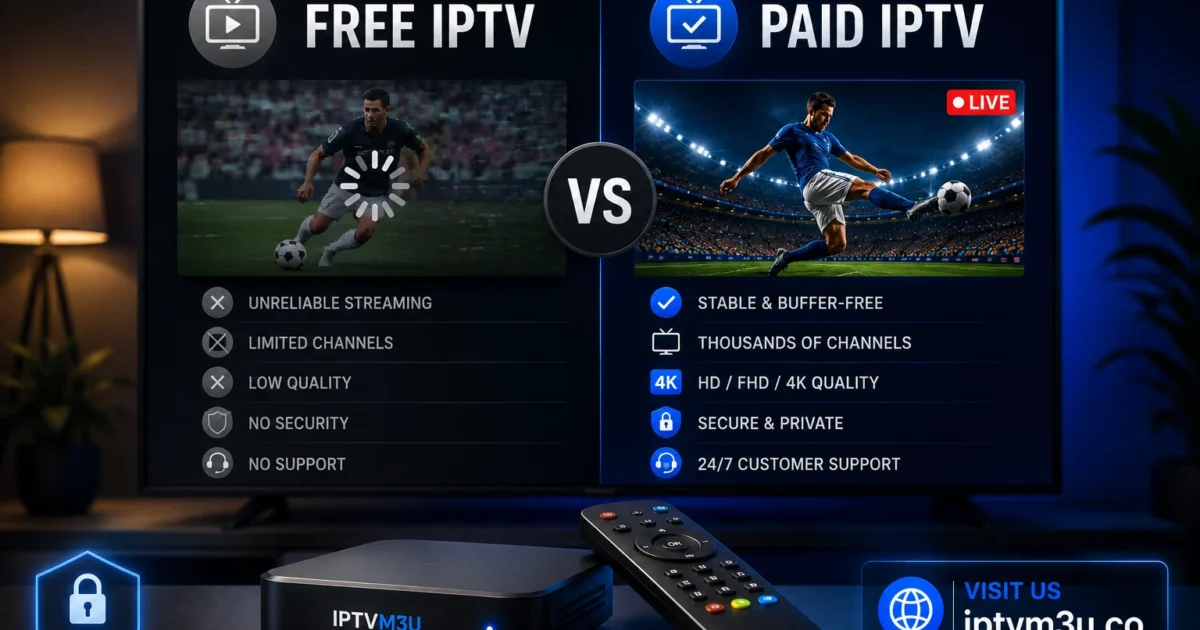
Free IPTV services are high-risk. They may inject ads into streams, collect your personal data, or serve malware through their apps. Some free IPTV apps have been found to contain malicious code. Paid IPTV services are more likely to prioritize security and reliability. See our free vs paid IPTV guide for a detailed comparison.
6. Secure Your Network
- Use a strong Wi-Fi password (WPA3 or WPA2)
- Enable your router’s firewall
- Disable WPS (Wi-Fi Protected Setup)
- Keep your router firmware updated
- Consider a separate VLAN for streaming devices
7. Use Strong Passwords
If your IPTV provider offers a customer portal with an account password, use a strong, unique password. Do not reuse passwords across services. Use a password manager to generate and store secure passwords. Enable two-factor authentication if your provider supports it.
IPTV Security Checklist
- VPN enabled while streaming
- M3U URL kept private
- IPTV apps updated to latest version
- Device security settings configured
- Avoiding free IPTV services
- Router firewall enabled
- Strong passwords used
- Parental controls active (if needed)
Further Reading
5. Avoid Free IPTV Services
Free IPTV services are high-risk. They may inject ads into streams, collect your personal data, or serve malware through their apps. Some free IPTV apps have been found to contain malicious code. Paid IPTV services are more likely to prioritize security and reliability. See our free vs paid IPTV guide for a detailed comparison.
6. Secure Your Network
- Use a strong Wi-Fi password (WPA3 or WPA2)
- Enable your router’s firewall
- Disable WPS (Wi-Fi Protected Setup)
- Keep your router firmware updated
- Consider a separate VLAN for streaming devices
7. Use Strong Passwords
If your IPTV provider offers a customer portal with an account password, use a strong, unique password. Do not reuse passwords across services. Use a password manager to generate and store secure passwords. Enable two-factor authentication if your provider supports it.
IPTV Security Checklist
- VPN enabled while streaming
- M3U URL kept private
- IPTV apps updated to latest version
- Device security settings configured
- Avoiding free IPTV services
- Router firewall enabled
- Strong passwords used
- Parental controls active (if needed)
Further Reading
- Disable unnecessary smart features
- Turn off data collection when possible
- Install IPTV apps only from the official app store
- Keep TV firmware updated
5. Avoid Free IPTV Services
Free IPTV services are high-risk. They may inject ads into streams, collect your personal data, or serve malware through their apps. Some free IPTV apps have been found to contain malicious code. Paid IPTV services are more likely to prioritize security and reliability. See our free vs paid IPTV guide for a detailed comparison.
6. Secure Your Network
- Use a strong Wi-Fi password (WPA3 or WPA2)
- Enable your router’s firewall
- Disable WPS (Wi-Fi Protected Setup)
- Keep your router firmware updated
- Consider a separate VLAN for streaming devices
7. Use Strong Passwords
If your IPTV provider offers a customer portal with an account password, use a strong, unique password. Do not reuse passwords across services. Use a password manager to generate and store secure passwords. Enable two-factor authentication if your provider supports it.
IPTV Security Checklist
- VPN enabled while streaming
- M3U URL kept private
- IPTV apps updated to latest version
- Device security settings configured
- Avoiding free IPTV services
- Router firewall enabled
- Strong passwords used
- Parental controls active (if needed)
Further Reading
Smart TV Security
- Disable unnecessary smart features
- Turn off data collection when possible
- Install IPTV apps only from the official app store
- Keep TV firmware updated
5. Avoid Free IPTV Services
Free IPTV services are high-risk. They may inject ads into streams, collect your personal data, or serve malware through their apps. Some free IPTV apps have been found to contain malicious code. Paid IPTV services are more likely to prioritize security and reliability. See our free vs paid IPTV guide for a detailed comparison.
6. Secure Your Network
- Use a strong Wi-Fi password (WPA3 or WPA2)
- Enable your router’s firewall
- Disable WPS (Wi-Fi Protected Setup)
- Keep your router firmware updated
- Consider a separate VLAN for streaming devices
7. Use Strong Passwords
If your IPTV provider offers a customer portal with an account password, use a strong, unique password. Do not reuse passwords across services. Use a password manager to generate and store secure passwords. Enable two-factor authentication if your provider supports it.
IPTV Security Checklist
- VPN enabled while streaming
- M3U URL kept private
- IPTV apps updated to latest version
- Device security settings configured
- Avoiding free IPTV services
- Router firewall enabled
- Strong passwords used
- Parental controls active (if needed)
Further Reading
- Install trusted apps only from the Play Store
- Avoid sideloading from unknown sources
- Install a security app for malware scanning
- Keep Android OS updated
Smart TV Security
- Disable unnecessary smart features
- Turn off data collection when possible
- Install IPTV apps only from the official app store
- Keep TV firmware updated
5. Avoid Free IPTV Services
Free IPTV services are high-risk. They may inject ads into streams, collect your personal data, or serve malware through their apps. Some free IPTV apps have been found to contain malicious code. Paid IPTV services are more likely to prioritize security and reliability. See our free vs paid IPTV guide for a detailed comparison.
6. Secure Your Network
- Use a strong Wi-Fi password (WPA3 or WPA2)
- Enable your router’s firewall
- Disable WPS (Wi-Fi Protected Setup)
- Keep your router firmware updated
- Consider a separate VLAN for streaming devices
7. Use Strong Passwords
If your IPTV provider offers a customer portal with an account password, use a strong, unique password. Do not reuse passwords across services. Use a password manager to generate and store secure passwords. Enable two-factor authentication if your provider supports it.
IPTV Security Checklist
- VPN enabled while streaming
- M3U URL kept private
- IPTV apps updated to latest version
- Device security settings configured
- Avoiding free IPTV services
- Router firewall enabled
- Strong passwords used
- Parental controls active (if needed)
Further Reading
Android TV Box Security
- Install trusted apps only from the Play Store
- Avoid sideloading from unknown sources
- Install a security app for malware scanning
- Keep Android OS updated
Smart TV Security
- Disable unnecessary smart features
- Turn off data collection when possible
- Install IPTV apps only from the official app store
- Keep TV firmware updated
5. Avoid Free IPTV Services
Free IPTV services are high-risk. They may inject ads into streams, collect your personal data, or serve malware through their apps. Some free IPTV apps have been found to contain malicious code. Paid IPTV services are more likely to prioritize security and reliability. See our free vs paid IPTV guide for a detailed comparison.
6. Secure Your Network
- Use a strong Wi-Fi password (WPA3 or WPA2)
- Enable your router’s firewall
- Disable WPS (Wi-Fi Protected Setup)
- Keep your router firmware updated
- Consider a separate VLAN for streaming devices
7. Use Strong Passwords
If your IPTV provider offers a customer portal with an account password, use a strong, unique password. Do not reuse passwords across services. Use a password manager to generate and store secure passwords. Enable two-factor authentication if your provider supports it.
IPTV Security Checklist
- VPN enabled while streaming
- M3U URL kept private
- IPTV apps updated to latest version
- Device security settings configured
- Avoiding free IPTV services
- Router firewall enabled
- Strong passwords used
- Parental controls active (if needed)
Further Reading
- Enable parental controls
- Disable ADB debugging when not in use
- Disable unknown sources after installing your apps
- Use a strong Amazon account password
Android TV Box Security
- Install trusted apps only from the Play Store
- Avoid sideloading from unknown sources
- Install a security app for malware scanning
- Keep Android OS updated
Smart TV Security
- Disable unnecessary smart features
- Turn off data collection when possible
- Install IPTV apps only from the official app store
- Keep TV firmware updated
5. Avoid Free IPTV Services
Free IPTV services are high-risk. They may inject ads into streams, collect your personal data, or serve malware through their apps. Some free IPTV apps have been found to contain malicious code. Paid IPTV services are more likely to prioritize security and reliability. See our free vs paid IPTV guide for a detailed comparison.
6. Secure Your Network
- Use a strong Wi-Fi password (WPA3 or WPA2)
- Enable your router’s firewall
- Disable WPS (Wi-Fi Protected Setup)
- Keep your router firmware updated
- Consider a separate VLAN for streaming devices
7. Use Strong Passwords
If your IPTV provider offers a customer portal with an account password, use a strong, unique password. Do not reuse passwords across services. Use a password manager to generate and store secure passwords. Enable two-factor authentication if your provider supports it.
IPTV Security Checklist
- VPN enabled while streaming
- M3U URL kept private
- IPTV apps updated to latest version
- Device security settings configured
- Avoiding free IPTV services
- Router firewall enabled
- Strong passwords used
- Parental controls active (if needed)
Further Reading
Fire Stick Security
- Enable parental controls
- Disable ADB debugging when not in use
- Disable unknown sources after installing your apps
- Use a strong Amazon account password
Android TV Box Security
- Install trusted apps only from the Play Store
- Avoid sideloading from unknown sources
- Install a security app for malware scanning
- Keep Android OS updated
Smart TV Security
- Disable unnecessary smart features
- Turn off data collection when possible
- Install IPTV apps only from the official app store
- Keep TV firmware updated
5. Avoid Free IPTV Services
Free IPTV services are high-risk. They may inject ads into streams, collect your personal data, or serve malware through their apps. Some free IPTV apps have been found to contain malicious code. Paid IPTV services are more likely to prioritize security and reliability. See our free vs paid IPTV guide for a detailed comparison.
6. Secure Your Network
- Use a strong Wi-Fi password (WPA3 or WPA2)
- Enable your router’s firewall
- Disable WPS (Wi-Fi Protected Setup)
- Keep your router firmware updated
- Consider a separate VLAN for streaming devices
7. Use Strong Passwords
If your IPTV provider offers a customer portal with an account password, use a strong, unique password. Do not reuse passwords across services. Use a password manager to generate and store secure passwords. Enable two-factor authentication if your provider supports it.
IPTV Security Checklist
- VPN enabled while streaming
- M3U URL kept private
- IPTV apps updated to latest version
- Device security settings configured
- Avoiding free IPTV services
- Router firewall enabled
- Strong passwords used
- Parental controls active (if needed)
Further Reading
4. Use Device-Level Security
Fire Stick Security
- Enable parental controls
- Disable ADB debugging when not in use
- Disable unknown sources after installing your apps
- Use a strong Amazon account password
Android TV Box Security
- Install trusted apps only from the Play Store
- Avoid sideloading from unknown sources
- Install a security app for malware scanning
- Keep Android OS updated
Smart TV Security
- Disable unnecessary smart features
- Turn off data collection when possible
- Install IPTV apps only from the official app store
- Keep TV firmware updated
5. Avoid Free IPTV Services
Free IPTV services are high-risk. They may inject ads into streams, collect your personal data, or serve malware through their apps. Some free IPTV apps have been found to contain malicious code. Paid IPTV services are more likely to prioritize security and reliability. See our free vs paid IPTV guide for a detailed comparison.
6. Secure Your Network
- Use a strong Wi-Fi password (WPA3 or WPA2)
- Enable your router’s firewall
- Disable WPS (Wi-Fi Protected Setup)
- Keep your router firmware updated
- Consider a separate VLAN for streaming devices
7. Use Strong Passwords
If your IPTV provider offers a customer portal with an account password, use a strong, unique password. Do not reuse passwords across services. Use a password manager to generate and store secure passwords. Enable two-factor authentication if your provider supports it.
IPTV Security Checklist
- VPN enabled while streaming
- M3U URL kept private
- IPTV apps updated to latest version
- Device security settings configured
- Avoiding free IPTV services
- Router firewall enabled
- Strong passwords used
- Parental controls active (if needed)
Further Reading
IPTV player apps release updates that patch security vulnerabilities and fix bugs. Always install the latest version of your IPTV apps. Enable automatic updates where available. Outdated apps can expose your device to security risks. This applies to TiviMate, IPTV Smarters Pro, GSE Smart IPTV, Kodi, and all other IPTV apps.
4. Use Device-Level Security
Fire Stick Security
- Enable parental controls
- Disable ADB debugging when not in use
- Disable unknown sources after installing your apps
- Use a strong Amazon account password
Android TV Box Security
- Install trusted apps only from the Play Store
- Avoid sideloading from unknown sources
- Install a security app for malware scanning
- Keep Android OS updated
Smart TV Security
- Disable unnecessary smart features
- Turn off data collection when possible
- Install IPTV apps only from the official app store
- Keep TV firmware updated
5. Avoid Free IPTV Services
Free IPTV services are high-risk. They may inject ads into streams, collect your personal data, or serve malware through their apps. Some free IPTV apps have been found to contain malicious code. Paid IPTV services are more likely to prioritize security and reliability. See our free vs paid IPTV guide for a detailed comparison.
6. Secure Your Network
- Use a strong Wi-Fi password (WPA3 or WPA2)
- Enable your router’s firewall
- Disable WPS (Wi-Fi Protected Setup)
- Keep your router firmware updated
- Consider a separate VLAN for streaming devices
7. Use Strong Passwords
If your IPTV provider offers a customer portal with an account password, use a strong, unique password. Do not reuse passwords across services. Use a password manager to generate and store secure passwords. Enable two-factor authentication if your provider supports it.
IPTV Security Checklist
- VPN enabled while streaming
- M3U URL kept private
- IPTV apps updated to latest version
- Device security settings configured
- Avoiding free IPTV services
- Router firewall enabled
- Strong passwords used
- Parental controls active (if needed)
Further Reading
3. Keep Your Apps Updated
IPTV player apps release updates that patch security vulnerabilities and fix bugs. Always install the latest version of your IPTV apps. Enable automatic updates where available. Outdated apps can expose your device to security risks. This applies to TiviMate, IPTV Smarters Pro, GSE Smart IPTV, Kodi, and all other IPTV apps.
4. Use Device-Level Security
Fire Stick Security
- Enable parental controls
- Disable ADB debugging when not in use
- Disable unknown sources after installing your apps
- Use a strong Amazon account password
Android TV Box Security
- Install trusted apps only from the Play Store
- Avoid sideloading from unknown sources
- Install a security app for malware scanning
- Keep Android OS updated
Smart TV Security
- Disable unnecessary smart features
- Turn off data collection when possible
- Install IPTV apps only from the official app store
- Keep TV firmware updated
5. Avoid Free IPTV Services
Free IPTV services are high-risk. They may inject ads into streams, collect your personal data, or serve malware through their apps. Some free IPTV apps have been found to contain malicious code. Paid IPTV services are more likely to prioritize security and reliability. See our free vs paid IPTV guide for a detailed comparison.
6. Secure Your Network
- Use a strong Wi-Fi password (WPA3 or WPA2)
- Enable your router’s firewall
- Disable WPS (Wi-Fi Protected Setup)
- Keep your router firmware updated
- Consider a separate VLAN for streaming devices
7. Use Strong Passwords
If your IPTV provider offers a customer portal with an account password, use a strong, unique password. Do not reuse passwords across services. Use a password manager to generate and store secure passwords. Enable two-factor authentication if your provider supports it.
IPTV Security Checklist
- VPN enabled while streaming
- M3U URL kept private
- IPTV apps updated to latest version
- Device security settings configured
- Avoiding free IPTV services
- Router firewall enabled
- Strong passwords used
- Parental controls active (if needed)
Further Reading
Your M3U playlist URL contains your subscription credentials (often as a token or unique identifier in the URL). If someone obtains your M3U URL, they can potentially use your subscription. Never share your M3U URL publicly. Store it securely. If your provider offers a URL with an embedded token, treat it like a password.
3. Keep Your Apps Updated
IPTV player apps release updates that patch security vulnerabilities and fix bugs. Always install the latest version of your IPTV apps. Enable automatic updates where available. Outdated apps can expose your device to security risks. This applies to TiviMate, IPTV Smarters Pro, GSE Smart IPTV, Kodi, and all other IPTV apps.
4. Use Device-Level Security
Fire Stick Security
- Enable parental controls
- Disable ADB debugging when not in use
- Disable unknown sources after installing your apps
- Use a strong Amazon account password
Android TV Box Security
- Install trusted apps only from the Play Store
- Avoid sideloading from unknown sources
- Install a security app for malware scanning
- Keep Android OS updated
Smart TV Security
- Disable unnecessary smart features
- Turn off data collection when possible
- Install IPTV apps only from the official app store
- Keep TV firmware updated
5. Avoid Free IPTV Services
Free IPTV services are high-risk. They may inject ads into streams, collect your personal data, or serve malware through their apps. Some free IPTV apps have been found to contain malicious code. Paid IPTV services are more likely to prioritize security and reliability. See our free vs paid IPTV guide for a detailed comparison.
6. Secure Your Network
- Use a strong Wi-Fi password (WPA3 or WPA2)
- Enable your router’s firewall
- Disable WPS (Wi-Fi Protected Setup)
- Keep your router firmware updated
- Consider a separate VLAN for streaming devices
7. Use Strong Passwords
If your IPTV provider offers a customer portal with an account password, use a strong, unique password. Do not reuse passwords across services. Use a password manager to generate and store secure passwords. Enable two-factor authentication if your provider supports it.
IPTV Security Checklist
- VPN enabled while streaming
- M3U URL kept private
- IPTV apps updated to latest version
- Device security settings configured
- Avoiding free IPTV services
- Router firewall enabled
- Strong passwords used
- Parental controls active (if needed)
Further Reading
2. Protect Your M3U Playlist URL
Your M3U playlist URL contains your subscription credentials (often as a token or unique identifier in the URL). If someone obtains your M3U URL, they can potentially use your subscription. Never share your M3U URL publicly. Store it securely. If your provider offers a URL with an embedded token, treat it like a password.
3. Keep Your Apps Updated
IPTV player apps release updates that patch security vulnerabilities and fix bugs. Always install the latest version of your IPTV apps. Enable automatic updates where available. Outdated apps can expose your device to security risks. This applies to TiviMate, IPTV Smarters Pro, GSE Smart IPTV, Kodi, and all other IPTV apps.
4. Use Device-Level Security
Fire Stick Security
- Enable parental controls
- Disable ADB debugging when not in use
- Disable unknown sources after installing your apps
- Use a strong Amazon account password
Android TV Box Security
- Install trusted apps only from the Play Store
- Avoid sideloading from unknown sources
- Install a security app for malware scanning
- Keep Android OS updated
Smart TV Security
- Disable unnecessary smart features
- Turn off data collection when possible
- Install IPTV apps only from the official app store
- Keep TV firmware updated
5. Avoid Free IPTV Services
Free IPTV services are high-risk. They may inject ads into streams, collect your personal data, or serve malware through their apps. Some free IPTV apps have been found to contain malicious code. Paid IPTV services are more likely to prioritize security and reliability. See our free vs paid IPTV guide for a detailed comparison.
6. Secure Your Network
- Use a strong Wi-Fi password (WPA3 or WPA2)
- Enable your router’s firewall
- Disable WPS (Wi-Fi Protected Setup)
- Keep your router firmware updated
- Consider a separate VLAN for streaming devices
7. Use Strong Passwords
If your IPTV provider offers a customer portal with an account password, use a strong, unique password. Do not reuse passwords across services. Use a password manager to generate and store secure passwords. Enable two-factor authentication if your provider supports it.
IPTV Security Checklist
- VPN enabled while streaming
- M3U URL kept private
- IPTV apps updated to latest version
- Device security settings configured
- Avoiding free IPTV services
- Router firewall enabled
- Strong passwords used
- Parental controls active (if needed)
Further Reading
- Choose a VPN with a no-logs policy
- Use a VPN with strong encryption (AES-256)
- Select a server close to your IPTV provider for best speed
- Enable the VPN before opening any IPTV app
- Test with and without VPN to check speed impact
2. Protect Your M3U Playlist URL
Your M3U playlist URL contains your subscription credentials (often as a token or unique identifier in the URL). If someone obtains your M3U URL, they can potentially use your subscription. Never share your M3U URL publicly. Store it securely. If your provider offers a URL with an embedded token, treat it like a password.
3. Keep Your Apps Updated
IPTV player apps release updates that patch security vulnerabilities and fix bugs. Always install the latest version of your IPTV apps. Enable automatic updates where available. Outdated apps can expose your device to security risks. This applies to TiviMate, IPTV Smarters Pro, GSE Smart IPTV, Kodi, and all other IPTV apps.
4. Use Device-Level Security
Fire Stick Security
- Enable parental controls
- Disable ADB debugging when not in use
- Disable unknown sources after installing your apps
- Use a strong Amazon account password
Android TV Box Security
- Install trusted apps only from the Play Store
- Avoid sideloading from unknown sources
- Install a security app for malware scanning
- Keep Android OS updated
Smart TV Security
- Disable unnecessary smart features
- Turn off data collection when possible
- Install IPTV apps only from the official app store
- Keep TV firmware updated
5. Avoid Free IPTV Services
Free IPTV services are high-risk. They may inject ads into streams, collect your personal data, or serve malware through their apps. Some free IPTV apps have been found to contain malicious code. Paid IPTV services are more likely to prioritize security and reliability. See our free vs paid IPTV guide for a detailed comparison.
6. Secure Your Network
- Use a strong Wi-Fi password (WPA3 or WPA2)
- Enable your router’s firewall
- Disable WPS (Wi-Fi Protected Setup)
- Keep your router firmware updated
- Consider a separate VLAN for streaming devices
7. Use Strong Passwords
If your IPTV provider offers a customer portal with an account password, use a strong, unique password. Do not reuse passwords across services. Use a password manager to generate and store secure passwords. Enable two-factor authentication if your provider supports it.
IPTV Security Checklist
- VPN enabled while streaming
- M3U URL kept private
- IPTV apps updated to latest version
- Device security settings configured
- Avoiding free IPTV services
- Router firewall enabled
- Strong passwords used
- Parental controls active (if needed)
Further Reading
VPN Best Practices
- Choose a VPN with a no-logs policy
- Use a VPN with strong encryption (AES-256)
- Select a server close to your IPTV provider for best speed
- Enable the VPN before opening any IPTV app
- Test with and without VPN to check speed impact
2. Protect Your M3U Playlist URL
Your M3U playlist URL contains your subscription credentials (often as a token or unique identifier in the URL). If someone obtains your M3U URL, they can potentially use your subscription. Never share your M3U URL publicly. Store it securely. If your provider offers a URL with an embedded token, treat it like a password.
3. Keep Your Apps Updated
IPTV player apps release updates that patch security vulnerabilities and fix bugs. Always install the latest version of your IPTV apps. Enable automatic updates where available. Outdated apps can expose your device to security risks. This applies to TiviMate, IPTV Smarters Pro, GSE Smart IPTV, Kodi, and all other IPTV apps.
4. Use Device-Level Security
Fire Stick Security
- Enable parental controls
- Disable ADB debugging when not in use
- Disable unknown sources after installing your apps
- Use a strong Amazon account password
Android TV Box Security
- Install trusted apps only from the Play Store
- Avoid sideloading from unknown sources
- Install a security app for malware scanning
- Keep Android OS updated
Smart TV Security
- Disable unnecessary smart features
- Turn off data collection when possible
- Install IPTV apps only from the official app store
- Keep TV firmware updated
5. Avoid Free IPTV Services
Free IPTV services are high-risk. They may inject ads into streams, collect your personal data, or serve malware through their apps. Some free IPTV apps have been found to contain malicious code. Paid IPTV services are more likely to prioritize security and reliability. See our free vs paid IPTV guide for a detailed comparison.
6. Secure Your Network
- Use a strong Wi-Fi password (WPA3 or WPA2)
- Enable your router’s firewall
- Disable WPS (Wi-Fi Protected Setup)
- Keep your router firmware updated
- Consider a separate VLAN for streaming devices
7. Use Strong Passwords
If your IPTV provider offers a customer portal with an account password, use a strong, unique password. Do not reuse passwords across services. Use a password manager to generate and store secure passwords. Enable two-factor authentication if your provider supports it.
IPTV Security Checklist
- VPN enabled while streaming
- M3U URL kept private
- IPTV apps updated to latest version
- Device security settings configured
- Avoiding free IPTV services
- Router firewall enabled
- Strong passwords used
- Parental controls active (if needed)
Further Reading
A VPN (Virtual Private Network) encrypts your internet traffic and hides your IP address. This prevents your ISP from seeing what you stream and prevents tracking by third parties. A VPN also helps with throttling — some ISPs slow down streaming traffic, and a VPN prevents them from identifying your traffic as streaming. See our VPN guide for IPTV for detailed recommendations.
VPN Best Practices
- Choose a VPN with a no-logs policy
- Use a VPN with strong encryption (AES-256)
- Select a server close to your IPTV provider for best speed
- Enable the VPN before opening any IPTV app
- Test with and without VPN to check speed impact
2. Protect Your M3U Playlist URL
Your M3U playlist URL contains your subscription credentials (often as a token or unique identifier in the URL). If someone obtains your M3U URL, they can potentially use your subscription. Never share your M3U URL publicly. Store it securely. If your provider offers a URL with an embedded token, treat it like a password.
3. Keep Your Apps Updated
IPTV player apps release updates that patch security vulnerabilities and fix bugs. Always install the latest version of your IPTV apps. Enable automatic updates where available. Outdated apps can expose your device to security risks. This applies to TiviMate, IPTV Smarters Pro, GSE Smart IPTV, Kodi, and all other IPTV apps.
4. Use Device-Level Security
Fire Stick Security
- Enable parental controls
- Disable ADB debugging when not in use
- Disable unknown sources after installing your apps
- Use a strong Amazon account password
Android TV Box Security
- Install trusted apps only from the Play Store
- Avoid sideloading from unknown sources
- Install a security app for malware scanning
- Keep Android OS updated
Smart TV Security
- Disable unnecessary smart features
- Turn off data collection when possible
- Install IPTV apps only from the official app store
- Keep TV firmware updated
5. Avoid Free IPTV Services
Free IPTV services are high-risk. They may inject ads into streams, collect your personal data, or serve malware through their apps. Some free IPTV apps have been found to contain malicious code. Paid IPTV services are more likely to prioritize security and reliability. See our free vs paid IPTV guide for a detailed comparison.
6. Secure Your Network
- Use a strong Wi-Fi password (WPA3 or WPA2)
- Enable your router’s firewall
- Disable WPS (Wi-Fi Protected Setup)
- Keep your router firmware updated
- Consider a separate VLAN for streaming devices
7. Use Strong Passwords
If your IPTV provider offers a customer portal with an account password, use a strong, unique password. Do not reuse passwords across services. Use a password manager to generate and store secure passwords. Enable two-factor authentication if your provider supports it.
IPTV Security Checklist
- VPN enabled while streaming
- M3U URL kept private
- IPTV apps updated to latest version
- Device security settings configured
- Avoiding free IPTV services
- Router firewall enabled
- Strong passwords used
- Parental controls active (if needed)
Further Reading
1. Use a VPN for IPTV
A VPN (Virtual Private Network) encrypts your internet traffic and hides your IP address. This prevents your ISP from seeing what you stream and prevents tracking by third parties. A VPN also helps with throttling — some ISPs slow down streaming traffic, and a VPN prevents them from identifying your traffic as streaming. See our VPN guide for IPTV for detailed recommendations.
VPN Best Practices
- Choose a VPN with a no-logs policy
- Use a VPN with strong encryption (AES-256)
- Select a server close to your IPTV provider for best speed
- Enable the VPN before opening any IPTV app
- Test with and without VPN to check speed impact
2. Protect Your M3U Playlist URL
Your M3U playlist URL contains your subscription credentials (often as a token or unique identifier in the URL). If someone obtains your M3U URL, they can potentially use your subscription. Never share your M3U URL publicly. Store it securely. If your provider offers a URL with an embedded token, treat it like a password.
3. Keep Your Apps Updated
IPTV player apps release updates that patch security vulnerabilities and fix bugs. Always install the latest version of your IPTV apps. Enable automatic updates where available. Outdated apps can expose your device to security risks. This applies to TiviMate, IPTV Smarters Pro, GSE Smart IPTV, Kodi, and all other IPTV apps.
4. Use Device-Level Security
Fire Stick Security
- Enable parental controls
- Disable ADB debugging when not in use
- Disable unknown sources after installing your apps
- Use a strong Amazon account password
Android TV Box Security
- Install trusted apps only from the Play Store
- Avoid sideloading from unknown sources
- Install a security app for malware scanning
- Keep Android OS updated
Smart TV Security
- Disable unnecessary smart features
- Turn off data collection when possible
- Install IPTV apps only from the official app store
- Keep TV firmware updated
5. Avoid Free IPTV Services
Free IPTV services are high-risk. They may inject ads into streams, collect your personal data, or serve malware through their apps. Some free IPTV apps have been found to contain malicious code. Paid IPTV services are more likely to prioritize security and reliability. See our free vs paid IPTV guide for a detailed comparison.
6. Secure Your Network
- Use a strong Wi-Fi password (WPA3 or WPA2)
- Enable your router’s firewall
- Disable WPS (Wi-Fi Protected Setup)
- Keep your router firmware updated
- Consider a separate VLAN for streaming devices
7. Use Strong Passwords
If your IPTV provider offers a customer portal with an account password, use a strong, unique password. Do not reuse passwords across services. Use a password manager to generate and store secure passwords. Enable two-factor authentication if your provider supports it.
IPTV Security Checklist
- VPN enabled while streaming
- M3U URL kept private
- IPTV apps updated to latest version
- Device security settings configured
- Avoiding free IPTV services
- Router firewall enabled
- Strong passwords used
- Parental controls active (if needed)
Further Reading
IPTV streaming involves transmitting data over the internet, which creates potential security and privacy risks. Your IP address is visible to your IPTV provider and possibly to third parties. Your streaming activity could be monitored by your ISP. Your M3U playlist URL, if exposed, could be used by others. Understanding these risks helps you take appropriate precautions.
1. Use a VPN for IPTV
A VPN (Virtual Private Network) encrypts your internet traffic and hides your IP address. This prevents your ISP from seeing what you stream and prevents tracking by third parties. A VPN also helps with throttling — some ISPs slow down streaming traffic, and a VPN prevents them from identifying your traffic as streaming. See our VPN guide for IPTV for detailed recommendations.
VPN Best Practices
- Choose a VPN with a no-logs policy
- Use a VPN with strong encryption (AES-256)
- Select a server close to your IPTV provider for best speed
- Enable the VPN before opening any IPTV app
- Test with and without VPN to check speed impact
2. Protect Your M3U Playlist URL
Your M3U playlist URL contains your subscription credentials (often as a token or unique identifier in the URL). If someone obtains your M3U URL, they can potentially use your subscription. Never share your M3U URL publicly. Store it securely. If your provider offers a URL with an embedded token, treat it like a password.
3. Keep Your Apps Updated
IPTV player apps release updates that patch security vulnerabilities and fix bugs. Always install the latest version of your IPTV apps. Enable automatic updates where available. Outdated apps can expose your device to security risks. This applies to TiviMate, IPTV Smarters Pro, GSE Smart IPTV, Kodi, and all other IPTV apps.
4. Use Device-Level Security
Fire Stick Security
- Enable parental controls
- Disable ADB debugging when not in use
- Disable unknown sources after installing your apps
- Use a strong Amazon account password
Android TV Box Security
- Install trusted apps only from the Play Store
- Avoid sideloading from unknown sources
- Install a security app for malware scanning
- Keep Android OS updated
Smart TV Security
- Disable unnecessary smart features
- Turn off data collection when possible
- Install IPTV apps only from the official app store
- Keep TV firmware updated
5. Avoid Free IPTV Services
Free IPTV services are high-risk. They may inject ads into streams, collect your personal data, or serve malware through their apps. Some free IPTV apps have been found to contain malicious code. Paid IPTV services are more likely to prioritize security and reliability. See our free vs paid IPTV guide for a detailed comparison.
6. Secure Your Network
- Use a strong Wi-Fi password (WPA3 or WPA2)
- Enable your router’s firewall
- Disable WPS (Wi-Fi Protected Setup)
- Keep your router firmware updated
- Consider a separate VLAN for streaming devices
7. Use Strong Passwords
If your IPTV provider offers a customer portal with an account password, use a strong, unique password. Do not reuse passwords across services. Use a password manager to generate and store secure passwords. Enable two-factor authentication if your provider supports it.
IPTV Security Checklist
- VPN enabled while streaming
- M3U URL kept private
- IPTV apps updated to latest version
- Device security settings configured
- Avoiding free IPTV services
- Router firewall enabled
- Strong passwords used
- Parental controls active (if needed)
Further Reading
Why IPTV Security Matters
IPTV streaming involves transmitting data over the internet, which creates potential security and privacy risks. Your IP address is visible to your IPTV provider and possibly to third parties. Your streaming activity could be monitored by your ISP. Your M3U playlist URL, if exposed, could be used by others. Understanding these risks helps you take appropriate precautions.
1. Use a VPN for IPTV
A VPN (Virtual Private Network) encrypts your internet traffic and hides your IP address. This prevents your ISP from seeing what you stream and prevents tracking by third parties. A VPN also helps with throttling — some ISPs slow down streaming traffic, and a VPN prevents them from identifying your traffic as streaming. See our VPN guide for IPTV for detailed recommendations.
VPN Best Practices
- Choose a VPN with a no-logs policy
- Use a VPN with strong encryption (AES-256)
- Select a server close to your IPTV provider for best speed
- Enable the VPN before opening any IPTV app
- Test with and without VPN to check speed impact
2. Protect Your M3U Playlist URL
Your M3U playlist URL contains your subscription credentials (often as a token or unique identifier in the URL). If someone obtains your M3U URL, they can potentially use your subscription. Never share your M3U URL publicly. Store it securely. If your provider offers a URL with an embedded token, treat it like a password.
3. Keep Your Apps Updated
IPTV player apps release updates that patch security vulnerabilities and fix bugs. Always install the latest version of your IPTV apps. Enable automatic updates where available. Outdated apps can expose your device to security risks. This applies to TiviMate, IPTV Smarters Pro, GSE Smart IPTV, Kodi, and all other IPTV apps.
4. Use Device-Level Security
Fire Stick Security
- Enable parental controls
- Disable ADB debugging when not in use
- Disable unknown sources after installing your apps
- Use a strong Amazon account password
Android TV Box Security
- Install trusted apps only from the Play Store
- Avoid sideloading from unknown sources
- Install a security app for malware scanning
- Keep Android OS updated
Smart TV Security
- Disable unnecessary smart features
- Turn off data collection when possible
- Install IPTV apps only from the official app store
- Keep TV firmware updated
5. Avoid Free IPTV Services
Free IPTV services are high-risk. They may inject ads into streams, collect your personal data, or serve malware through their apps. Some free IPTV apps have been found to contain malicious code. Paid IPTV services are more likely to prioritize security and reliability. See our free vs paid IPTV guide for a detailed comparison.
6. Secure Your Network
- Use a strong Wi-Fi password (WPA3 or WPA2)
- Enable your router’s firewall
- Disable WPS (Wi-Fi Protected Setup)
- Keep your router firmware updated
- Consider a separate VLAN for streaming devices
7. Use Strong Passwords
If your IPTV provider offers a customer portal with an account password, use a strong, unique password. Do not reuse passwords across services. Use a password manager to generate and store secure passwords. Enable two-factor authentication if your provider supports it.
IPTV Security Checklist
- VPN enabled while streaming
- M3U URL kept private
- IPTV apps updated to latest version
- Device security settings configured
- Avoiding free IPTV services
- Router firewall enabled
- Strong passwords used
- Parental controls active (if needed)
Further Reading
IPTV security is essential for protecting your privacy and ensuring a safe streaming experience. From VPN usage to playlist security, this guide covers the best practices every IPTV user should follow.
Why IPTV Security Matters
IPTV streaming involves transmitting data over the internet, which creates potential security and privacy risks. Your IP address is visible to your IPTV provider and possibly to third parties. Your streaming activity could be monitored by your ISP. Your M3U playlist URL, if exposed, could be used by others. Understanding these risks helps you take appropriate precautions.
1. Use a VPN for IPTV
A VPN (Virtual Private Network) encrypts your internet traffic and hides your IP address. This prevents your ISP from seeing what you stream and prevents tracking by third parties. A VPN also helps with throttling — some ISPs slow down streaming traffic, and a VPN prevents them from identifying your traffic as streaming. See our VPN guide for IPTV for detailed recommendations.
VPN Best Practices
- Choose a VPN with a no-logs policy
- Use a VPN with strong encryption (AES-256)
- Select a server close to your IPTV provider for best speed
- Enable the VPN before opening any IPTV app
- Test with and without VPN to check speed impact
2. Protect Your M3U Playlist URL
Your M3U playlist URL contains your subscription credentials (often as a token or unique identifier in the URL). If someone obtains your M3U URL, they can potentially use your subscription. Never share your M3U URL publicly. Store it securely. If your provider offers a URL with an embedded token, treat it like a password.
3. Keep Your Apps Updated
IPTV player apps release updates that patch security vulnerabilities and fix bugs. Always install the latest version of your IPTV apps. Enable automatic updates where available. Outdated apps can expose your device to security risks. This applies to TiviMate, IPTV Smarters Pro, GSE Smart IPTV, Kodi, and all other IPTV apps.
4. Use Device-Level Security
Fire Stick Security
- Enable parental controls
- Disable ADB debugging when not in use
- Disable unknown sources after installing your apps
- Use a strong Amazon account password
Android TV Box Security
- Install trusted apps only from the Play Store
- Avoid sideloading from unknown sources
- Install a security app for malware scanning
- Keep Android OS updated
Smart TV Security
- Disable unnecessary smart features
- Turn off data collection when possible
- Install IPTV apps only from the official app store
- Keep TV firmware updated
5. Avoid Free IPTV Services
Free IPTV services are high-risk. They may inject ads into streams, collect your personal data, or serve malware through their apps. Some free IPTV apps have been found to contain malicious code. Paid IPTV services are more likely to prioritize security and reliability. See our free vs paid IPTV guide for a detailed comparison.
6. Secure Your Network
- Use a strong Wi-Fi password (WPA3 or WPA2)
- Enable your router’s firewall
- Disable WPS (Wi-Fi Protected Setup)
- Keep your router firmware updated
- Consider a separate VLAN for streaming devices
7. Use Strong Passwords
If your IPTV provider offers a customer portal with an account password, use a strong, unique password. Do not reuse passwords across services. Use a password manager to generate and store secure passwords. Enable two-factor authentication if your provider supports it.
IPTV Security Checklist
- VPN enabled while streaming
- M3U URL kept private
- IPTV apps updated to latest version
- Device security settings configured
- Avoiding free IPTV services
- Router firewall enabled
- Strong passwords used
- Parental controls active (if needed)
Further Reading
IPTV security is essential for protecting your privacy and ensuring a safe streaming experience. From VPN usage to playlist security, this guide covers the best practices every IPTV user should follow.
Why IPTV Security Matters
IPTV streaming involves transmitting data over the internet, which creates potential security and privacy risks. Your IP address is visible to your IPTV provider and possibly to third parties. Your streaming activity could be monitored by your ISP. Your M3U playlist URL, if exposed, could be used by others. Understanding these risks helps you take appropriate precautions.
1. Use a VPN for IPTV
A VPN (Virtual Private Network) encrypts your internet traffic and hides your IP address. This prevents your ISP from seeing what you stream and prevents tracking by third parties. A VPN also helps with throttling — some ISPs slow down streaming traffic, and a VPN prevents them from identifying your traffic as streaming. See our VPN guide for IPTV for detailed recommendations.
VPN Best Practices
- Choose a VPN with a no-logs policy
- Use a VPN with strong encryption (AES-256)
- Select a server close to your IPTV provider for best speed
- Enable the VPN before opening any IPTV app
- Test with and without VPN to check speed impact
2. Protect Your M3U Playlist URL
Your M3U playlist URL contains your subscription credentials (often as a token or unique identifier in the URL). If someone obtains your M3U URL, they can potentially use your subscription. Never share your M3U URL publicly. Store it securely. If your provider offers a URL with an embedded token, treat it like a password.
3. Keep Your Apps Updated
IPTV player apps release updates that patch security vulnerabilities and fix bugs. Always install the latest version of your IPTV apps. Enable automatic updates where available. Outdated apps can expose your device to security risks. This applies to TiviMate, IPTV Smarters Pro, GSE Smart IPTV, Kodi, and all other IPTV apps.
4. Use Device-Level Security
Fire Stick Security
- Enable parental controls
- Disable ADB debugging when not in use
- Disable unknown sources after installing your apps
- Use a strong Amazon account password
Android TV Box Security
- Install trusted apps only from the Play Store
- Avoid sideloading from unknown sources
- Install a security app for malware scanning
- Keep Android OS updated
Smart TV Security
- Disable unnecessary smart features
- Turn off data collection when possible
- Install IPTV apps only from the official app store
- Keep TV firmware updated
5. Avoid Free IPTV Services
Free IPTV services are high-risk. They may inject ads into streams, collect your personal data, or serve malware through their apps. Some free IPTV apps have been found to contain malicious code. Paid IPTV services are more likely to prioritize security and reliability. See our free vs paid IPTV guide for a detailed comparison.
6. Secure Your Network
- Use a strong Wi-Fi password (WPA3 or WPA2)
- Enable your router’s firewall
- Disable WPS (Wi-Fi Protected Setup)
- Keep your router firmware updated
- Consider a separate VLAN for streaming devices
7. Use Strong Passwords
If your IPTV provider offers a customer portal with an account password, use a strong, unique password. Do not reuse passwords across services. Use a password manager to generate and store secure passwords. Enable two-factor authentication if your provider supports it.
IPTV Security Checklist
- VPN enabled while streaming
- M3U URL kept private
- IPTV apps updated to latest version
- Device security settings configured
- Avoiding free IPTV services
- Router firewall enabled
- Strong passwords used
- Parental controls active (if needed)
Further Reading

Related Articles
IPTV for Business: Hotels, Bars, Restaurants & Commercial Guide (2026)
IPTV for business offers hotels, bars, restaurants, gyms, and other commercial establishments a cost-effective way to provide television entertainment to guests and…
How to Set Up IPTV Parental Controls: Complete Family Safety Guide
Setting up IPTV parental controls is essential for families who want to restrict access to age-inappropriate content. Most IPTV player apps include…
How to Set Up Multi-Room IPTV: Watch on Multiple TVs (2026 Guide)
Setting up multi-room IPTV lets you watch your subscription on multiple TVs and devices throughout your home. Instead of paying for a…