M3U URL Explained: What It Is and How to Use It
 If you have explored IPTV streaming or online media playlists, you have likely encountered the term M3U URL. While many users are familiar with M3U files saved on their computers, an M3U URL works differently: it is a web address that points to a remotely hosted M3U playlist.
An M3U URL is a direct link to an M3U playlist file hosted on a web server. Instead of downloading a file and opening it manually, users can load the URL directly into a compatible media player, which fetches the playlist contents in real time. This approach is especially common in IPTV services, where providers host channel lists on their servers and deliver them to subscribers via a simple link.
Understanding M3U URLs is essential for anyone using IPTV services, streaming media from online sources, or managing remote playlists across multiple devices. This guide explains what M3U URLs are, how they work, and how to use them effectively.
If you have explored IPTV streaming or online media playlists, you have likely encountered the term M3U URL. While many users are familiar with M3U files saved on their computers, an M3U URL works differently: it is a web address that points to a remotely hosted M3U playlist.
An M3U URL is a direct link to an M3U playlist file hosted on a web server. Instead of downloading a file and opening it manually, users can load the URL directly into a compatible media player, which fetches the playlist contents in real time. This approach is especially common in IPTV services, where providers host channel lists on their servers and deliver them to subscribers via a simple link.
Understanding M3U URLs is essential for anyone using IPTV services, streaming media from online sources, or managing remote playlists across multiple devices. This guide explains what M3U URLs are, how they work, and how to use them effectively.
What Is an M3U URL?
An M3U URL is a web address that points to an M3U playlist file stored on a remote server. When a media player loads this URL, it downloads the playlist contents and processes the media references inside. The result is the same as opening a local M3U file, but without requiring the file to be physically stored on your device. M3U URLs typically end with the .m3u or .m3u8 extension, though some providers use URLs without extensions and rely on HTTP headers to indicate the content type.M3U URL vs M3U File
| Feature | M3U File | M3U URL |
|---|---|---|
| Storage | Saved on your device | Hosted on a remote server |
| Updates | Manual update required | Automatic when refreshed |
| Portability | Must be transferred manually | Accessible from anywhere |
| Sharing | Requires file transfer | Share the link directly |
| Internet required | Only for remote content | Required to load the playlist |
| Size | Small text file | Not stored locally |
How Does an M3U URL Work?
When a media player loads an M3U URL, it follows a simple process: the player sends an HTTP request to the URL, the server responds with the M3U playlist content, the player parses the M3U data to extract media locations, and then it accesses each media URL or file path listed in the playlist. The media player must have an active internet connection to fetch the playlist from the URL. Once the playlist is loaded, the player may also need internet access to stream the media references contained in the playlist.URL Structure
A typical M3U URL looks like this:https://iptv-provider.com/get.php?username=user&password=pass&type=m3u_plusSome providers use direct file links:
https://iptv-provider.com/playlist.m3u
https://iptv-provider.com/channels.m3u8
The URL format depends entirely on the provider. Some use query parameters for authentication, while others use direct file paths or API endpoints.
How IPTV Providers Use M3U URLs
M3U URLs are the standard delivery method for IPTV channel lists. Instead of sending updated files every time channels change, providers give each subscriber a unique URL that always contains the latest channel lineup.Authentication
Most IPTV providers include authentication credentials in the M3U URL. Common methods include username and password as query parameters, unique token or API key in the URL, MAC address filtering, or IP-based access control. Keep your M3U URL private, as anyone with the link can access your playlist.Dynamic Updates
When a provider adds, removes, or changes channels, the M3U URL automatically reflects these updates. Users do not need to download new files or manually update their playlists. Simply refreshing the playlist in the media player fetches the latest version.How to Use an M3U URL
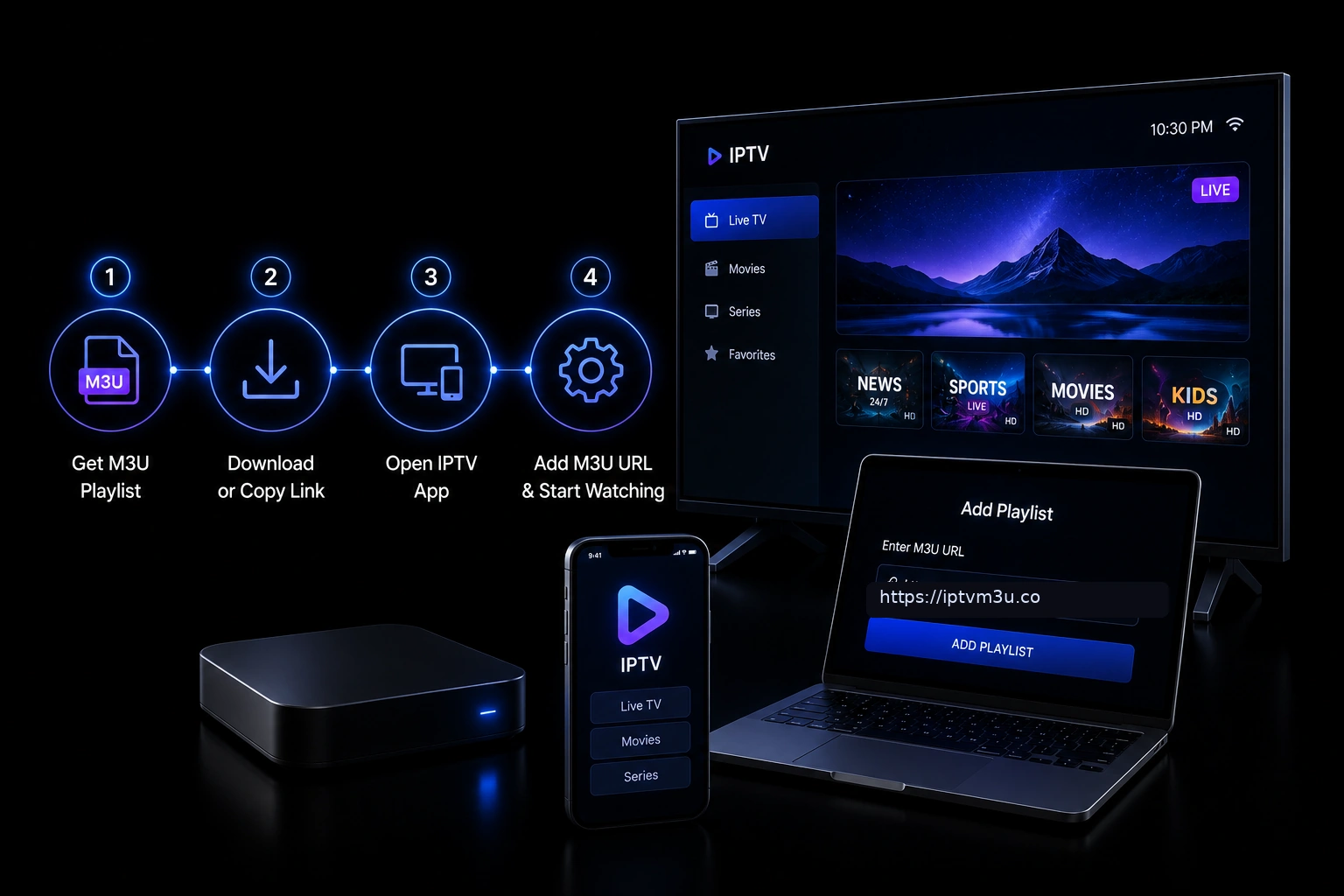
Using an M3U URL is straightforward. Most media players that support M3U playlists also support loading them from a URL.In IPTV Players
Popular IPTV players like TiviMate, IPTV Smarters, and OTT Navigator have dedicated fields for entering an M3U URL. Simply paste the link provided by your IPTV service, and the player loads the channel list automatically.In VLC Media Player
VLC Media Player supports M3U URLs through the network stream option: open VLC, click Media > Open Network Stream, paste the M3U URL, and click Play. VLC fetches the playlist and displays the available media. For more details, see our VLC setup guide for M3U playlists.In Kodi
Kodi can load M3U URLs through the PVR IPTV Simple Client addon, which accepts an M3U URL as a channel source. Our Kodi guide for M3U playlists covers the setup process.M3U URL Format Examples
Simple M3U URL Playlist
When a media player fetches an M3U URL, the server returns standard M3U content:#EXTM3U #EXTINF:-1,CNN HD http://example.com/stream/cnn.m3u8 #EXTINF:-1,BBC World http://example.com/stream/bbc.m3u8 #EXTINF:-1,National Geographic http://example.com/stream/natgeo.m3u8
M3U URL with Extended Tags
Many IPTV providers use extended M3U tags to include additional metadata:#EXTM3U #EXTINF:-1 tvg-id="cnn.us" tvg-logo="http://example.com/logos/cnn.png" group-title="News",CNN HD http://example.com/stream/cnn.m3u8 #EXTINF:-1 tvg-id="bbc.uk" tvg-logo="http://example.com/logos/bbc.png" group-title="News",BBC World http://example.com/stream/bbc.m3u8These tags include channel logos, group categories, and electronic program guide (EPG) identifiers.
Benefits of M3U URLs
M3U URLs offer several advantages over traditional file-based playlists.Automatic Updates
Playlist changes take effect immediately. The next time the media player loads the URL, it receives the latest version with no manual intervention required.No Local Storage
The playlist is not stored on your device, saving storage space and eliminating the need to manage files across multiple devices.Cross-Device Access
The same M3U URL works on any device with a compatible media player. Enter the link once per device, and the playlist stays synchronized.Easy Sharing
Sharing a playlist is as simple as sharing a link. No file attachments, no downloads, no version confusion.Limitations of M3U URLs
M3U URLs also have drawbacks. An internet connection is required to load the playlist. If the provider server goes down, the playlist becomes unavailable. The playlist may load more slowly than a local file, especially with large channel lists. Provider server issues can cause incomplete or failed playlist loads. M3U URLs also depend on provider uptime and server performance.Security Considerations
Treat your M3U URL like a password. Anyone with the link can access your playlist and watch the channels. M3U URLs transmitted over unencrypted HTTP can be intercepted. Only use HTTPS URLs from trusted providers. Shared M3U URLs on public forums or social media may be used without your permission.How to Find Your M3U URL
Most IPTV providers include the M3U URL in the account dashboard or welcome email. Check your provider dashboard for a playlist URL section, look for a Playlist or M3U URL link in your account settings, check the welcome email from your provider, or contact provider support if the URL is not visible. If you are looking for a reliable IPTV playlist to test with, you can get a free M3U URL to start streaming immediately.Troubleshooting M3U URL Issues
Common problems and solutions include:Playlist Not Loading
Verify your internet connection, confirm the URL is correct, check that the provider server is online, and ensure your media player supports M3U URLs. Try our Playlist Checker tool to test the URL directly.Channels Missing or Outdated
Refresh the playlist in your player, check for provider announcements about channel changes, or contact provider support.Authentication Errors
Confirm your subscription is active, verify the username and password in the URL, and check if your IP address is allowed.Slow Loading Times
Large playlists take longer to load. Use a player that handles large playlists efficiently, or ask your provider to optimize the playlist size.Frequently Asked Questions
What is an M3U URL?
An M3U URL is a web address that points to a remotely hosted M3U playlist file. Media players load the playlist contents directly from the URL.How do I use an M3U URL?
Paste the URL into a compatible media player such as VLC, TiviMate, IPTV Smarters, or Kodi. The player fetches the playlist automatically.Is an M3U URL the same as an M3U file?
No. A file is stored locally, while a URL points to a remote playlist. Both contain the same type of playlist data.Can I create my own M3U URL?
Yes, by hosting an M3U file on a web server and using the file’s URL. Any web hosting service can serve M3U playlists.Do I need internet to use an M3U URL?
Yes, both to load the playlist from the URL and to stream the media it references.Is an M3U URL safe?
M3U URLs themselves are safe, but the media they reference could come from untrusted sources. Only use URLs from reputable providers.What is the difference between M3U and M3U8 URLs?
M3U URLs point to ASCII-encoded playlists, while M3U8 URLs point to UTF-8 encoded playlists. See our M3U8 vs M3U guide for details.Can an M3U URL expire?
Yes. Some providers set expiration dates on URLs for security purposes. Contact your provider if your URL stops working.How do I refresh an M3U URL in my player?
Most players have a refresh or reload option in the playlist settings. Some players refresh automatically on startup.Can I share my M3U URL with others?
You can, but this may violate your provider terms of service. Shared URLs can also be abused, leading to service issues.Key Takeaways
An M3U URL is a web link to a remotely hosted playlist that updates automatically. It offers convenience, cross-device access, and automatic updates. M3U URLs require an internet connection and depend on provider servers. They are the standard delivery method for IPTV channel lists. Always protect your M3U URL and use HTTPS for secure access.Conclusion
M3U URLs are the backbone of modern IPTV playlist delivery. They eliminate the need for manual file management, provide automatic updates, and work seamlessly across devices. Whether you are new to IPTV or an experienced user, understanding how M3U URLs work helps you get the most from your streaming setup. For a complete overview of M3U technology, read our guide on what an M3U playlist is and explore our M3U guides collection for more tutorials.Ready to Start Streaming?
Get your free M3U playlist and start streaming on all your devices today.